


:quality(80))


:quality(80))


:quality(80))


:quality(80))


:quality(80))
:quality(80))
Read summarized version with
 ChatGPT
  Perplexity
  Gemini
  Claude
  Grok
Grok Plenty of Wisepops customers are one-person teams, running conversion work with no developer and no design time to call on.
Wisepops suits that setup because every plan pairs the platform with a strategist. Your strategist audits your traffic, builds the first campaigns and reviews the results with you each month.
Installing Wisepops takes one script tag and about five minutes, and no campaign needs a developer. Everything your strategist builds stays yours to copy, edit and add to.
This guide follows the order the work happens in:
Decide the plan from your traffic audit
GoalA plan ranked by revenue
Every Wisepops plan starts with a traffic activation audit: a report on who visits your site, what they do there, and which campaigns would convert them. It's free, and it comes before any contract.
The data comes from Wisebrain, the Wisepops AI engine. Its tracker reads 40+ behavioral signals per visitor and groups visitors into segments, with no rules written by you.
After 7 days of data, your strategist walks you through the audit in a live 30-minute session.
What the audit returns:
The behavioral segments of your visitors, each sized, such as the undecided shopper who opens three or more products in a session without choosing
Where your traffic comes from, and how it splits across devices
The revenue opportunity in each segment, with the opportunities ranked
Three to five campaign mockups built for your brand, one for each priority segment
How the plan gets decided:
Review
Go through the ranked opportunities with your strategist.
Approve
Approve or reject each recommended campaign. Nothing is built without your say.
Build
The strategist builds what you approve in week two, and the first campaigns go live by week two or three. Anything else, you build alongside them.
Adjust
Monthly reviews check what each campaign produced. A quarterly session checks whether the plan still fits your traffic.
Learn more
Set up goal tracking before you publish
GoalRevenue tracked from the first day
Conversions that happen before a goal is saved are never attributed. Set tracking up first, and every campaign reports revenue from the day it goes live.
The setup takes three steps:
In Settings, Goals, choose the currency and the attribution window, which defaults to five days
Create a goal for your order confirmation page. On Shopify, the app tracks orders and revenue, so this step is already done
Assign the goal to each campaign from the Goal icon in the editor's left menu. Each campaign takes one goal
:quality(80))
Settings, Goals. The currency and the attribution window for the whole website.
Attribution runs on tracked clicks. Closing a campaign, clicking an untracked CTA or only seeing it records nothing, so confirm the CTA is set as tracked.
When a visitor clicks two campaigns with the same goal, the last one clicked gets the credit. Recommendation blocks are stricter: an order counts only if it contains a product clicked in the block.
:quality(80))
Assigning the goal to a campaign. Leave it off and nothing is recorded against it.
From then on the revenue column fills itself, and nobody has to match signups to orders in a spreadsheet.
:quality(80))
Illustrative example: attributed revenue in the Wisepops Home view, once goals are set.
Learn more
Start with four campaigns for four kinds of visitor
GoalThe largest visitor groups covered
Your audit decides which campaigns come first. The four below are an example from a fashion store, whose audit named these as its largest groups:
Your own audit may rank different groups higher, and the same campaign types apply.
The welcome offer
Asks which category they are shopping, then returns the code with best sellers from it.
How it works
- Step one asks what they are shopping for.
- Step two asks for the email.
- Step three shows the code with best sellers.
Complete the look
Shows what usually goes with the cart while the visitor is still shopping.
How it works
- Sits in the add-to-cart confirmation window.
- Picks change with what is in the cart.
- Shows complete your look picks.
Cart recovery during the session
AI predicts which visitors holding a cart are about to leave, and reaches them first.
How it works
- Reads behavioral signals while they browse.
- Fires while the visitor is still on the page.
- Leads with delivery and returns terms.
Recommendations in the header
A bell beside search and cart that opens a feed of product picks for each visitor.
How it works
- Best sellers for first-time visitors.
- Recently viewed items for returning visitors.
- Picks that match what is in the cart.
If you run paid ads
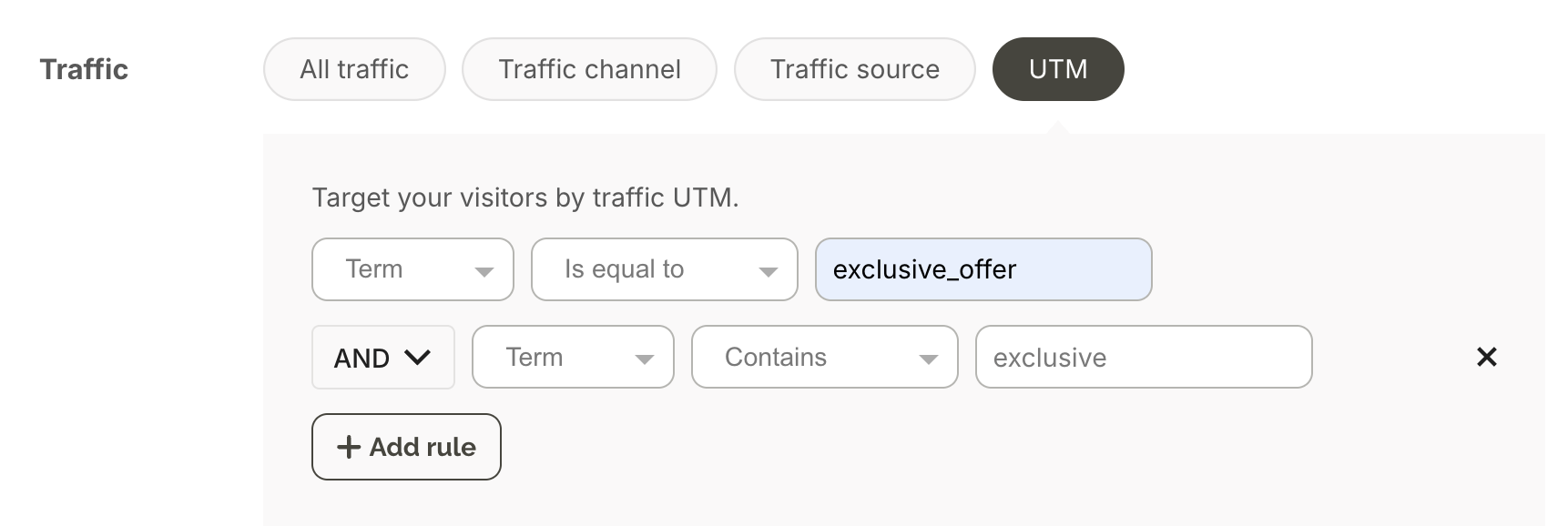
When the audit finds a sizable share of traffic arriving from paid campaigns, give it a fifth campaign of its own. Target it by the UTM parameters on your ad links. Repeat the offer the ad made, so the visitor lands on the promise they clicked. Pierre Hardy runs an interactive experience reserved for its paid traffic.
If you run Google Ads, the Google Ads integration shows how visitors from each ad campaign engage with your Wisepops campaigns. It reports their signups and conversion rates.
One popup at a time
Wisepops shows at most one popup and one bar per pageview, and when two popups qualify for the same page, it picks one. Embeds and the Onsite feed sit outside that limit, so the four campaigns run side by side without stacking on screen. The display rules cover the details.
Campaign 1: Ask new visitors what they are shopping for
This campaign covers your largest segment, first-time visitors who have not seen an offer yet. Get it right before any of the others.
The campaign runs as a branching popup, made with the Branch form block, in three steps:
Step one asks one question in your own words, with a button for each category. Each answer opens its own branch
Step two asks for the email, with the discount as the reason to sign up
Step three shows the discount code, with best sellers from the chosen category in the same step
Each answer button carries an ID, so the choice reaches your email tool as a contact field. The campaign targets new visitors only and excludes existing subscribers, so a customer is never asked to sign up twice.
Emma Sleep runs a similar question-first campaign in more than 20 markets. Its first step asks what the visitor needs for perfect sleep, with mattresses, pillows, beds and others as answers, before the email field.
That question increased its email subscription rate by 50%. Of the visitors who pick an answer, 68.6% go on to submit their email.
:quality(80))
Emma Sleep's welcome campaign. The first step asks a question, and the email comes after.
A variation with the email first:
Nutrimuscle, a French sports nutrition brand, runs the same idea in a different order. Its first step offers 5% off a first order from €50 in exchange for the email.
The second step asks for a phone number and two questions: which sport the visitor practices, and how often. The third shows the code with a button that adds it to the cart, and three product recommendations below.
Here the address is secured first, and the profile questions follow once the visitor has already signed up.
:quality(80))
Nutrimuscle's three steps: the email, then the phone number and two profile questions, then the code with product recommendations.
One point to check before you set the trigger. On landing fires on page load, on any page of a visit. Paired with a pageview rule, the campaign opens on the second page instead of meeting visitors at the door.
:quality(80))
Display rules. On landing paired with a pageview rule, so the popup opens on the second page.
Use the exclusion checkbox under Display rules, Audience tab, instead of building the rule yourself. It covers other Wisepops campaigns, Mailchimp embedded forms, Klaviyo web forms, and visits carrying utm_medium=email or utm_source=email.
:quality(80))
The exclusion checkbox. It covers Wisepops, Mailchimp and Klaviyo forms, and email UTMs.
On Shopify, a rule excluding logged-in visitors who already accept marketing does the same job permanently.
Add the SMS step only if your CRM can receive the number today. Put it on a screen after the email, so a visitor who stops there still leaves an address.
Learn more
Campaign 2: Complete the look for shoppers who add to cart
A visitor who has added a product is further along than anyone else on the site. This campaign shows what usually goes with it, while they are still shopping.
The campaign is an embed with an AI recommendation block:
It sits in the confirmation window that opens when an item is added to the cart
The block recommends from the cart contents, so the picks change with every item added
A plain heading such as "Complete your look" introduces the picks
Wisepops AI reads what the visitor browsed and what sits in the cart, including the 90% of visitors who never log in. As an embed, it also sits outside the one-popup limit.
Recommendation blocks count an order only when it contains a product clicked in the block. The revenue this campaign reports comes from the recommendations themselves.
Pierre Hardy, the Parisian luxury maison, runs these recommendations as an embed in its add-to-cart confirmation window. Its Onsite feed adds frequently bought together picks based on cart content.
Across all its campaigns, Pierre Hardy's onsite experiences influenced 22% of online revenue over 12 months.
:quality(80))
Pierre Hardy's complete your look recommendations, inside the add-to-cart confirmation window.
The same recommendations can appear earlier, while a visitor is engaged on a product page. Wisepops AI picks that moment from the visitor's behavior, then shows complementary items chosen from what similar visitors bought.
A line such as "We think you'll love these" tells the visitor the picks are personalized. The block reads as a suggestion, with no hard sell.
:quality(80))
AI recommendations of complementary items, shown while a visitor is engaged on a product page.
Learn more
Campaign 3: Recover the cart before the visitor leaves
Cart emails only reach visitors who left an address. A visitor holding a cart who never signed up can only be reached during the session, and that is the gap this campaign fills.
The campaign fires on the AI-powered Cart abandon signal, in place of exit intent. Exit intent fires on cursor movement, which comes after the visitor has decided to leave.
The model predicts the abandon during the session instead. It reads 10+ behavioral signals, including which pages were visited and how many, plus location and device. Wisebrain, our in-house engine, sits behind it.
On Shopify stores using Wisepops, cart recovery campaigns on the AI signal averaged a 6.88% conversion rate from April to December 2025.
What the campaign shows:
Each version shows the cart contents, with one of three reasons to finish the order:
Reassurance, such as the delivery date or the returns window
Scarcity, such as low stock on an item in the cart
A time-limited offer, written as a number such as 10% off. In our data, numeric offers drive up to 27% more clicks than emotional copy, and limited-time offers convert around three times better than open-ended ones
Mungo & Maud uses the offer. The visitor sees the cart contents and a discount that expires in 2 hours.
:quality(80))
Mungo & Maud's cart recovery campaign: the cart contents, with a discount that expires in 2 hours.
The campaign below uses scarcity instead:
:quality(80))
A cart recovery campaign using scarcity on the items in the cart.
Setting it up yourself:
Open the template gallery and select the Shopify category. If that category is missing, the install is incomplete, and fixing it comes first
Choose the AI-powered cart recovery template and leave the trigger as it is
:quality(80))
The AI cart recovery template, with the abandon signal already set as its trigger.
Off Shopify, run the same campaign on exit intent with cart-value targeting, which averages 3.80% against 2.12% untargeted.
Campaign 4: Keep personalized picks one click away in the Onsite feed
Returning visitors often come back for something they saw before. The Onsite feed is a bell in your header that keeps personalized picks one click away, for them and for every other visitor.
Pierre Hardy fills its feed with AI recommendations for each visitor: best sellers for first-time visitors, recently viewed items for returning ones, and frequently bought together picks based on the cart.
:quality(80))
Pierre Hardy's Onsite feed, with AI recommendations matched to each visitor.
You can also publish your own messages there, such as new arrivals or delivery cut-offs.
Placement decides the rest. Pin the bell in the top bar beside search and cart.
A bell in the top bar reaches around 10% of visitors, and those visitors generate 25% to 45% of site revenue. Pierre Hardy's Onsite feed holds an 11.6% click rate.
Setting up the bell:
Pin the bell in the top bar beside search and cart, so the feed opens in one click. A bell that sits behind the menu tends to keep reach near 1%
To place it there, add the
wispclass to an element in your header, in place of the default floating bell. On Shopify, you add the bell from the theme editorKeep the bell visible on scroll down. The unread badge can take a couple of seconds to load, so a visitor who has already scrolled may never notice it. On mobile, the top bar can hide on scroll down and come back on scroll up
Match the bell's size to the other icons in the top bar, with a clean, high-contrast design
:quality(80))
The bell in a site header. Placement decides reach more than anything else.
Read reach under Analytics, Overview. Pick the Notifications channel, then tick Reach and Sessions in the Metrics box.
The Onsite feed carrying product updates:
:quality(80))
The feed carrying product updates, opened when the visitor chooses to.
Learn more
Put campaigns on product pages without filing a dev ticket
GoalProduct pages change the same day
Embeds place campaign content inside the page rather than on top of it. The block becomes part of the page, matches what surrounds it, and needs no developer.
For one person, this is the format that most widens what you can ship. Embeds cover the work that would otherwise be a ticket waiting on a sprint:
Signup forms inside an article or a category page
Recommendation blocks dropped onto product pages, the cart, or the blog
Back-in-stock notices, countdown timers, and promotion banners
Review and feedback collection, segmented by visitor properties
Embeds also sit outside the one-popup-per-page limit, so an embed can run alongside any of the four campaigns above.
Can I do this without a designer?
Yes. Campaigns start from a template and pick up your fonts and colors, so nothing needs to be drawn from scratch. A designer also works on your site as part of the plan. The small campaign you'd never commission at agency rates becomes one you can ask for.
:quality(80))
An embed on the émoi émoi site, styled to match the page around it.
Related guides
Hand the rebuild over when you switch tools
GoalNo coverage gap during the switch
The tool being replaced is often an email platform's own forms, such as Klaviyo forms, or a popup tool such as OptinMonster.
Whichever it is, the campaigns that work there have to exist again in Wisepops. Wisepops rebuilds them for you, in four steps:
Audit
Wisepops reads 7 days of visitor data on your site and maps your segments, before you sign anything.
Hand over
Send screenshots of your current campaigns, your brand assets and brief notes on who sees each one. Most teams gather this in under an hour.
Rebuild
Your strategist recreates every campaign, with its design, copy, triggers and targeting. Your campaigns keep running on your current tool meanwhile.
Launch
You review each campaign and approve it before it goes live. The median from signing to the first live campaign is 7 days.
If Klaviyo stays your email tool, Wisepops connects to it, so new contacts keep reaching the same email sequences. Popups your developers built in-house can be rebuilt the same way.
Sites with many campaigns or complex targeting can take two to three weeks, with no gap in coverage. The detail is on our switch page.
Take the first set as a base, then build the rest yourself
GoalA working base to copy from
The first campaigns arrive built, against the segments the audit named. That set is the base you work from, and there is no limit on what you add to it.
You can copy any of them, edit anything, and build as many more as you want. Nothing is locked, and nothing needs to come back through us.
Copying campaigns to another market or site:
Duplicating a campaign copies its configuration, including the goal and its tracking. You can copy one campaign or a whole set to another website, then change the language, the copy and the products.
Emma Sleep runs 20+ country stores from one workspace this way, with shared templates and the same campaign logic in every market.
:quality(80))
A campaign you already have becomes the next one in a single action.
The campaigns your strategist builds:
Every plan comes with a strategist. One person runs your audit and configures the campaigns against the segments it found.
They review performance with you each month and hold a deeper session each quarter.
You send a brand kit and we design to it. Campaign builds sit inside the plan, which is the line agencies and freelancers bill per asset.
Three of the specialists who do this work
:quality(85))
Miguel
Head of Customer Success
Traffic activation specialist
:quality(85))
Christina
Senior Conversion Strategist
US and Europe
:quality(85))
Raffy
Senior Conversion Strategist
Europe, Asia, US
The design work you would otherwise buy per asset:
A designer works on your site, which changes the arithmetic for one person. The campaign you would never commission at four figures becomes one you can ask for, or duplicate from a built one and edit yourself.
The support in between:
A shared Slack channel for the moments when a campaign has to go live faster than a support ticket moves
Support hours across US, European and APAC time zones
Setup across 50+ integrations, handled by your strategist instead of a developer
An audit that keeps running after the first delivery, flagging new opportunities as your catalog and traffic change
Campaigns we build sit alongside yours, so a copy change or a pause stays yours to make.
What the plan covers, and what the same parts cost bought separately, is set out in what the monthly plan includes.
Review results each week, and with your strategist each month
GoalA drop spotted within a week
Once the campaigns are live, three reviews keep them on track:
Weekly, in the Home view. Attributed revenue, clicks and contacts across all campaigns, plus revenue per campaign. When one campaign drops suddenly, check its offer and page targeting first, since an expired code or a changed URL can stop it from showing
Weekly, for the Onsite feed. Reach, under Analytics with the Notifications channel selected. The help center puts typical reach between 5% and 15% of visitors
Monthly, with your strategist. A review of what each campaign produced, and a good moment to duplicate one for the season or promotion ahead
Quarterly, with your strategist. A deeper session on whether the plan still fits your traffic, and which campaign to add or retire next
For a closer look, the Analytics page breaks results down by campaign, page, country and device. The campaign and page tables export to CSV.
:quality(80))
Illustrative example: the Analytics page, with Export to CSV on the campaign and page tables.
Seasonal copies can outperform the campaign they came from. Emma Sleep's localized Irish Week campaign reached a 17.3% email signup rate, against 7.4% for its year-round campaign on the same site. Only the creative and the offer changed.
Before testing a new variant, our A/B test calculator turns your baseline and traffic into the runtime a test needs.
Keep one person in charge, with a strategist beside you
The audit sets the plan, the goals make every campaign accountable, and four campaigns cover the largest groups of visitors. Everything after that is reviewing, copying and adjusting, which one person can keep up with.
The guides below cover the platform and the plan in more depth.
More about Wisepops
Get started
in minutes
Start converting more visitors today.
Get started in minutes and see results right after.