










14 Best Shopify Marketing Strategies to Increase Your Sales

Read summarized version with
 ChatGPT
 Perplexity
 Gemini
 Claude
 Grok
Key takeaways
Definition: Shopify marketing is the set of channels and tactics a Shopify store uses to attract shoppers, convert visits and win repeat orders. Shopify's built-in tools and apps cover each part.
Organic channels: SEO on product and collection pages, content that answers buying questions, and social media bring traffic you don't pay for per click. They take months to grow.
Paid and partner channels: Search, shopping and social ads buy reach quickly, while creators and affiliates reach audiences that already trust them. Ads convert better when the page matches the ad.
Onsite conversion: Targeted offers, reviews and product recommendations turn more of the existing traffic into orders. In our data from Shopify stores, 79% of orders recovered by cart popups came from mobile visitors.
Retention: Email and SMS automations, loyalty and referral programs and seasonal campaigns bring first-time buyers back for a second and third order.
Measurement: Tag every link with UTM parameters and test campaigns against a control group. You'll see which channels add revenue and which only take credit for it.
Opening a Shopify store takes an afternoon. The work that follows is getting shoppers to it, converting enough of them and bringing them back. Rising ad prices make each of those visits more expensive to buy.
The guide below covers 14 Shopify marketing strategies, grouped by the job they do: attract new shoppers, convert more visitors and bring customers back. Each one includes how to start, real store examples and, where we have it, our data from Shopify stores.
In this article:
See your segments
Match each visitor to the right campaign
We review your traffic and show which behavioral segments you have, the campaigns that fit each one, and the revenue they could reach.
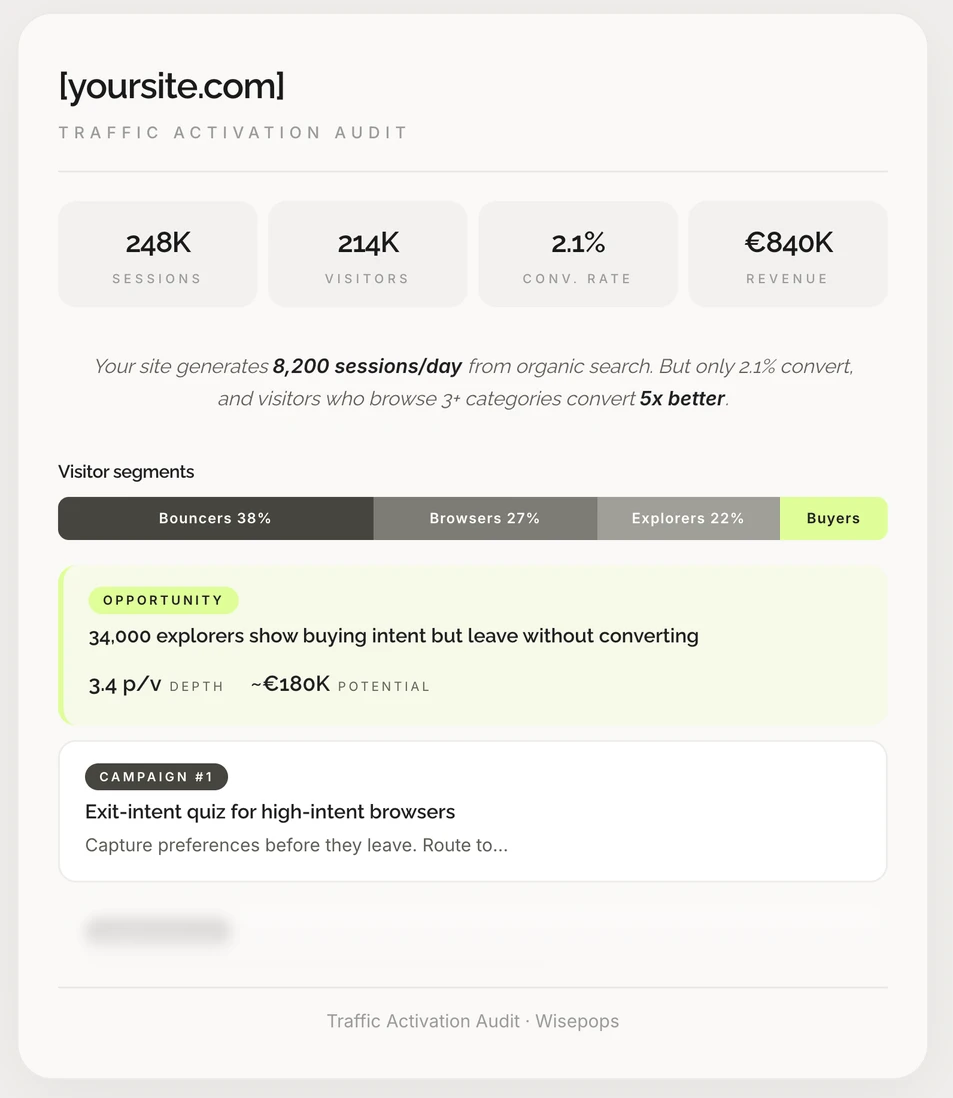

in attributed revenue from a Shopify marketing strategy built around each shopper's training goals
What is Shopify marketing?
Shopify marketing is the set of channels and tactics a Shopify store uses to attract shoppers, convert them into customers and bring them back. That covers SEO, social media, ads, creator partnerships, email and SMS, and the campaigns shoppers see on the store itself.
In other words, Shopify marketing is digital marketing planned around a Shopify store, its data and its apps.
The channels are the same ones any online store uses. What changes on Shopify is how you run them:
Built-in tools. Shopify includes its own email, SMS, forms, automation and ad tools, so a new store can start without extra apps.
Apps. The Shopify App Store covers almost every channel, and apps can read store data such as products, carts, orders and customer tags.
Store data. Because apps share that data, a popup, an email and an ad can each react to what a shopper viewed or bought.
A Shopify marketing strategy is mostly a choice of which channels to run first and how they pass shoppers to one another. A signup form on the store feeds the email list, and the email list feeds repeat orders.
Related: Getting sales on Shopify
Shopify marketing tools built into your store
Before adding apps, you can check what Shopify already includes. These tools cover the basics of acquisition and retention, and some of them are free up to a certain volume.
Shopify's main built-in marketing tools:
Tool
What it does
Shopify Messaging
Sends email, SMS and WhatsApp campaigns and automations from the Shopify admin. The first 10,000 emails each month are free.
Shopify Forms
Adds signup popups and inline forms to your theme and saves contacts with their marketing consent.
Shopify Flow
Runs automations that connect other apps, such as tagging a customer or starting a sequence in a third-party email tool.
Shopify Collabs
Runs creator and affiliate programs: finding creators, sending gifts and paying commission on sales.
Shop Campaigns
Shows ads on the Shop app and partner platforms. You pay only when a new customer buys.
Shopify Audiences
Builds ad audience lists for platforms such as Meta and Google. Available on the Shopify Plus plan only.
Built-in tools work well for a new store. Growing stores usually add marketing integrations for email, reviews, loyalty and onsite campaigns, which offer deeper segmentation and reporting.
Related: Top-rated Shopify apps
Shopify marketing strategies to promote your store
The first five strategies bring people to the store. Organic channels cost time and grow slowly, while Shopify advertising costs money and works from day one. You'll usually run a mix of both.
1. Optimize product and collection pages for Shopify SEO
Search engines send shoppers who already know what they want, and those visits keep arriving without a cost per click. On Shopify, collection pages often rank for broad product searches, while product pages rank for specific ones.
How to start with Shopify SEO:
Write unique titles and meta descriptions for your main collections and best-selling products, using the words shoppers search for.
Add a short, useful introduction to each collection page, so it has more than a grid of products.
Write product descriptions that answer buying questions: size, material, fit, care and delivery.
Publish guides that match search questions in your niche, and link them to the products they mention.
Submit your sitemap in Google Search Console and fix pages that it reports as not indexed.
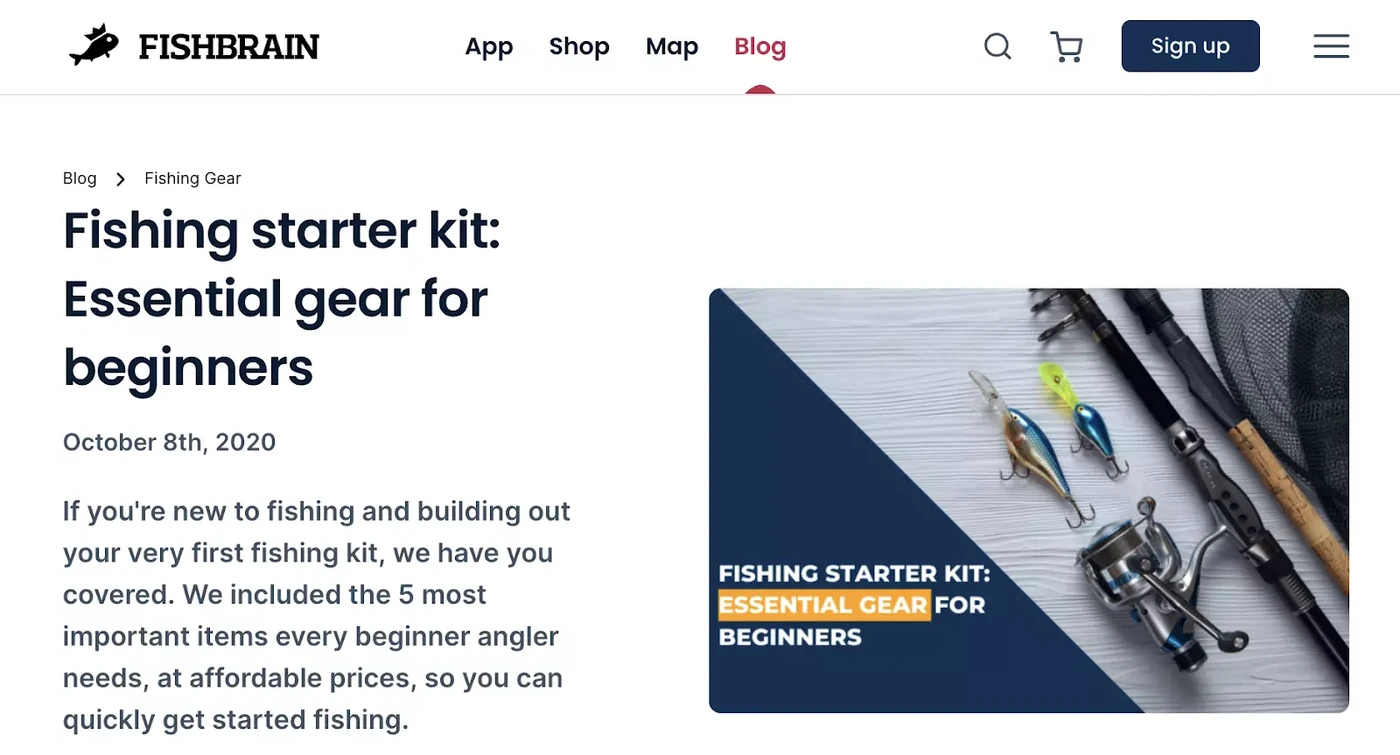
Fishbrain publishes guides for beginners, such as how to put together a fishing starter kit
Related: Shopify SEO for beginners
. Build an audience on social media and short video
Social platforms are where many shoppers find products they weren't searching for. Short videos of a product in use tend to bring more store visits than polished catalog photos. They show how the product looks and works.
How to start with social media for a Shopify store:
Pick one or two platforms where your customers already spend time, and post on a schedule you can keep.
Connect your catalog through Shopify's sales channels, so posts can tag products and link straight to them.
Plan a few content themes: product demos, how-to videos, customer reviews and behind-the-scenes posts.
Add UTM parameters to every link in your bio and posts, so you can see which content brings orders.
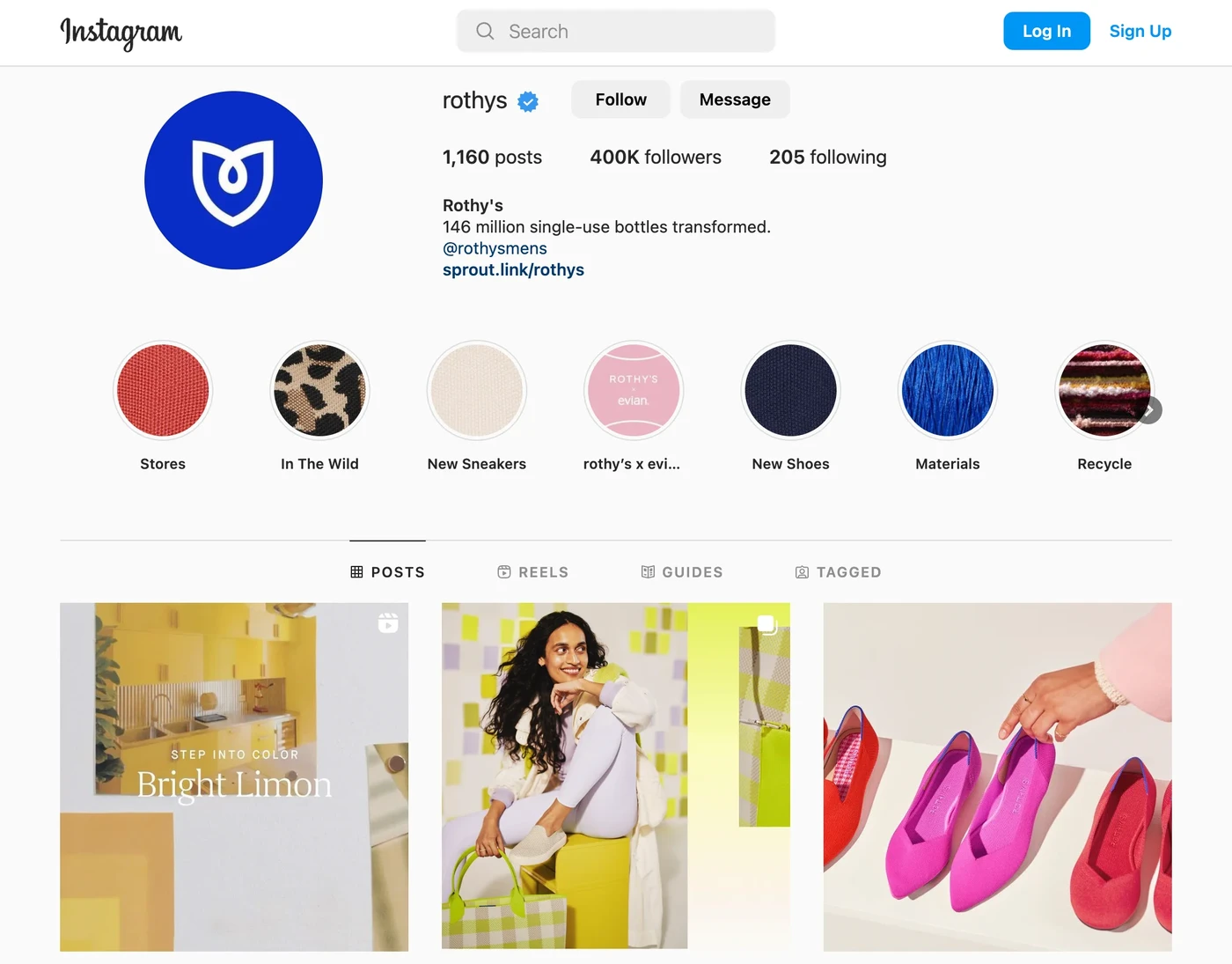
Rothy's uses Instagram to promote new products, explain its materials and share collaborations
Related: Best Shopify stores for inspiration
3. Partner with creators, influencers and affiliates
Creators reach audiences that already trust their recommendations. Small creators with a focused audience are often easier to start with than large accounts. With a commission model, you pay mostly for the sales they bring.
How to start a creator or affiliate program:
Send products to a short list of creators whose audience matches your customers, and ask for honest reviews.
Give each creator a unique discount code or link, so every sale is credited to the right person.
Set a commission rate you can afford on repeat orders as well as on the first one.
Use Shopify Collabs or an affiliate app to manage invitations, gifts and payouts in one place.
Visitors who arrive from a creator's post respond better when the store greets them with the same offer they saw in the post.
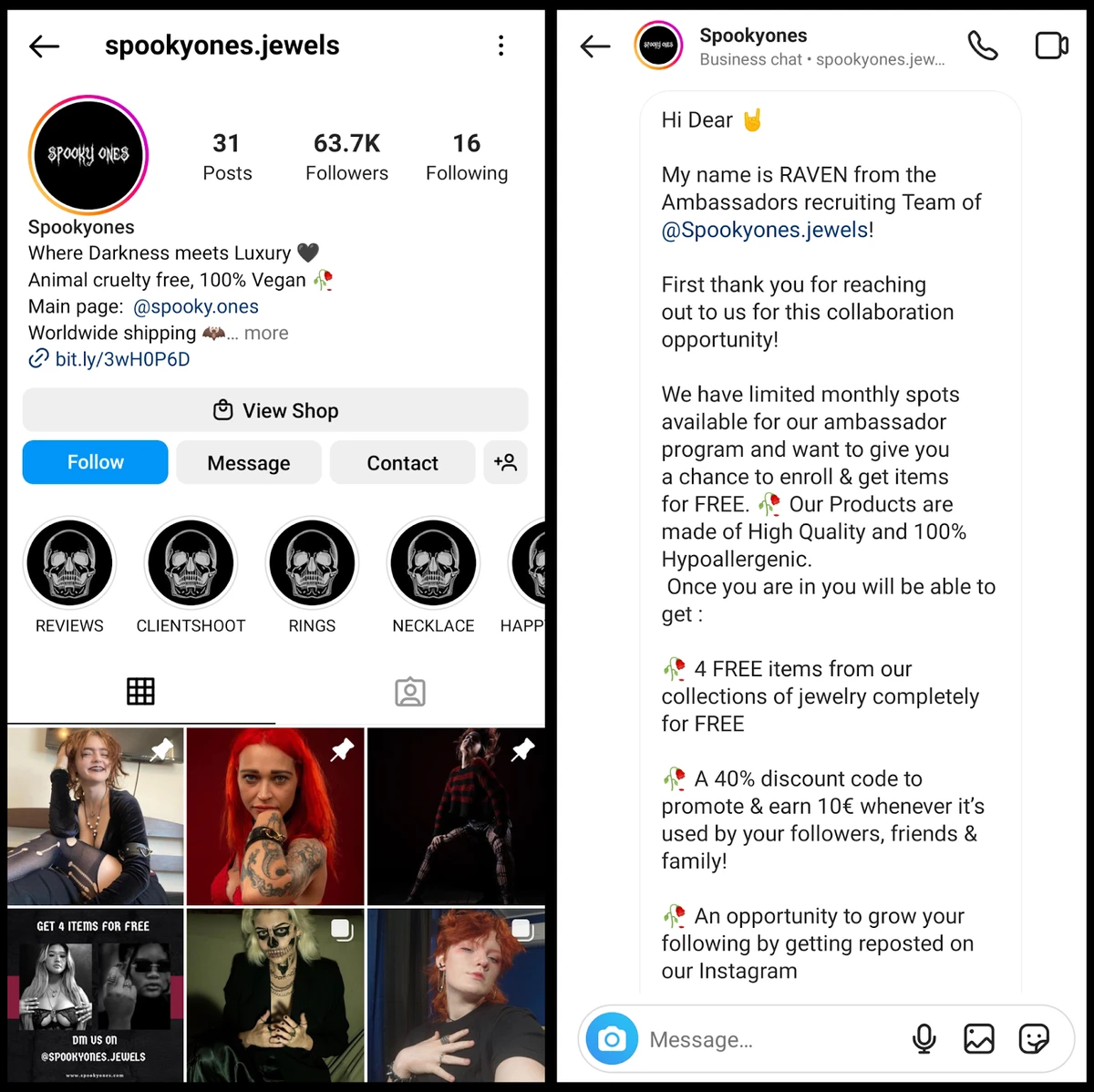
An influencer post promoting a brand's products
4. Advertise your Shopify store with Google Shopping and search ads
Search and shopping ads reach shoppers at the moment they look for a product. They suit products people search for by name or by problem, such as "running shoes for flat feet". They can also test demand for a new product within days.
How to start with search and shopping ads:
Connect your product feed through the Google and YouTube sales channel, so shopping ads use your real prices and stock.
Start with your best sellers and with searches that include your brand or a specific product type.
Send each ad to the most relevant page, usually a product or collection page, instead of the homepage.
Review search terms weekly and exclude the ones that bring clicks without orders.
The page an ad leads to matters as much as the ad itself. In our data, popups targeted to the visitor's ad campaign converted 5.84% of visitors, against 4.51% for popups shown to everyone.
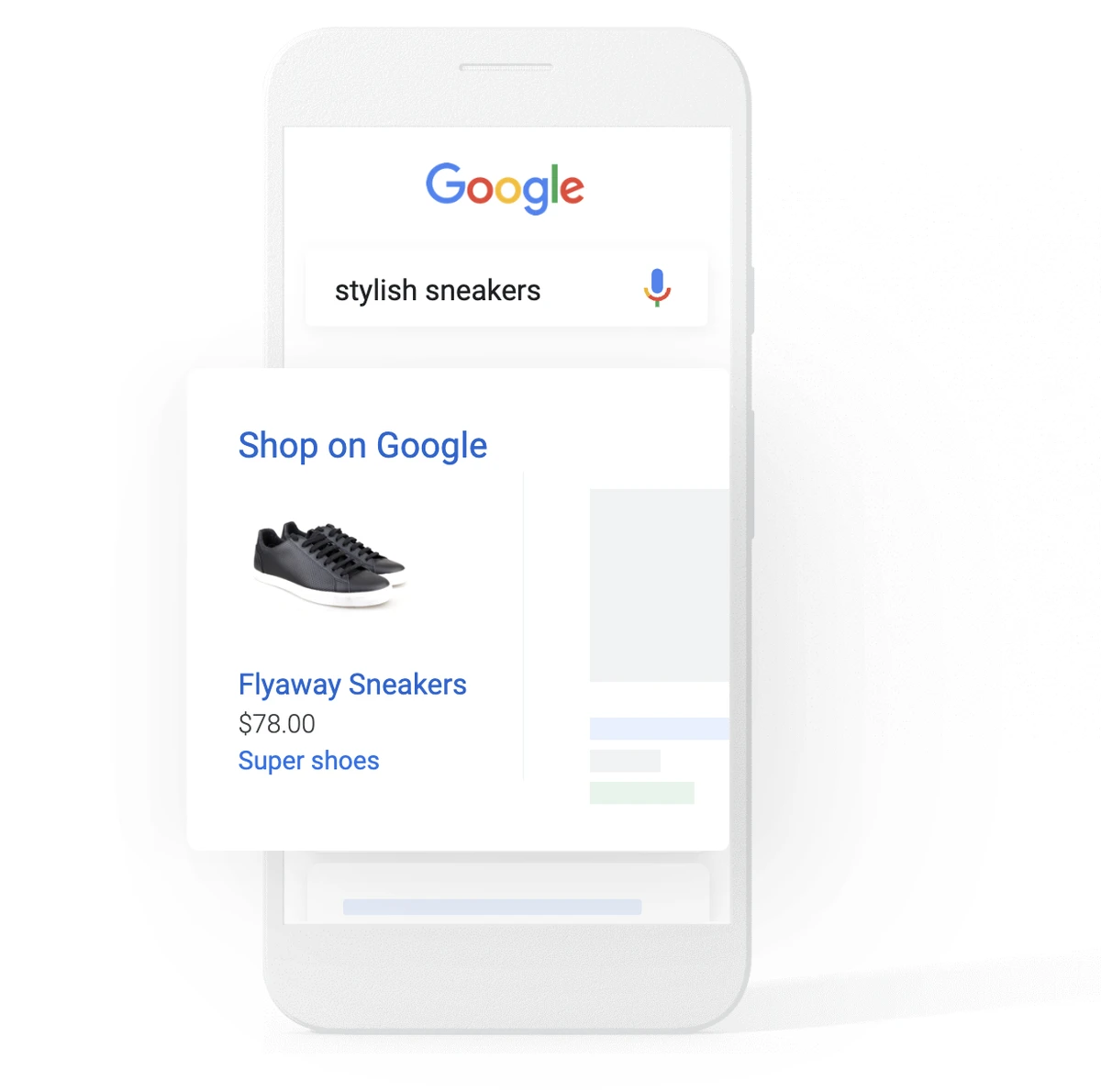
Sponsored results at the top of a Google search
Related: Popups for paid traffic
. Use paid social ads and retargeting
Social ads help shoppers discover products they didn't know about, which suits impulse buys and visual products. Retargeting shows ads to people who already visited your store, viewed a product or added it to the cart.
How to start with paid social and retargeting:
Install the Meta and TikTok pixels through Shopify's sales channels, so the platforms can see views, carts and purchases.
Test a few creative angles at once: a product demo, a customer review and an offer.
Build retargeting audiences from product viewers and cart abandoners, and exclude recent buyers.
Cap how often one person sees the same ad, and refresh the creative when results drop.
On Shopify Plus, Shopify Audiences can add lists of likely buyers to your Meta and Google campaigns. Shop Campaigns is another option, since you pay only when a new customer orders.
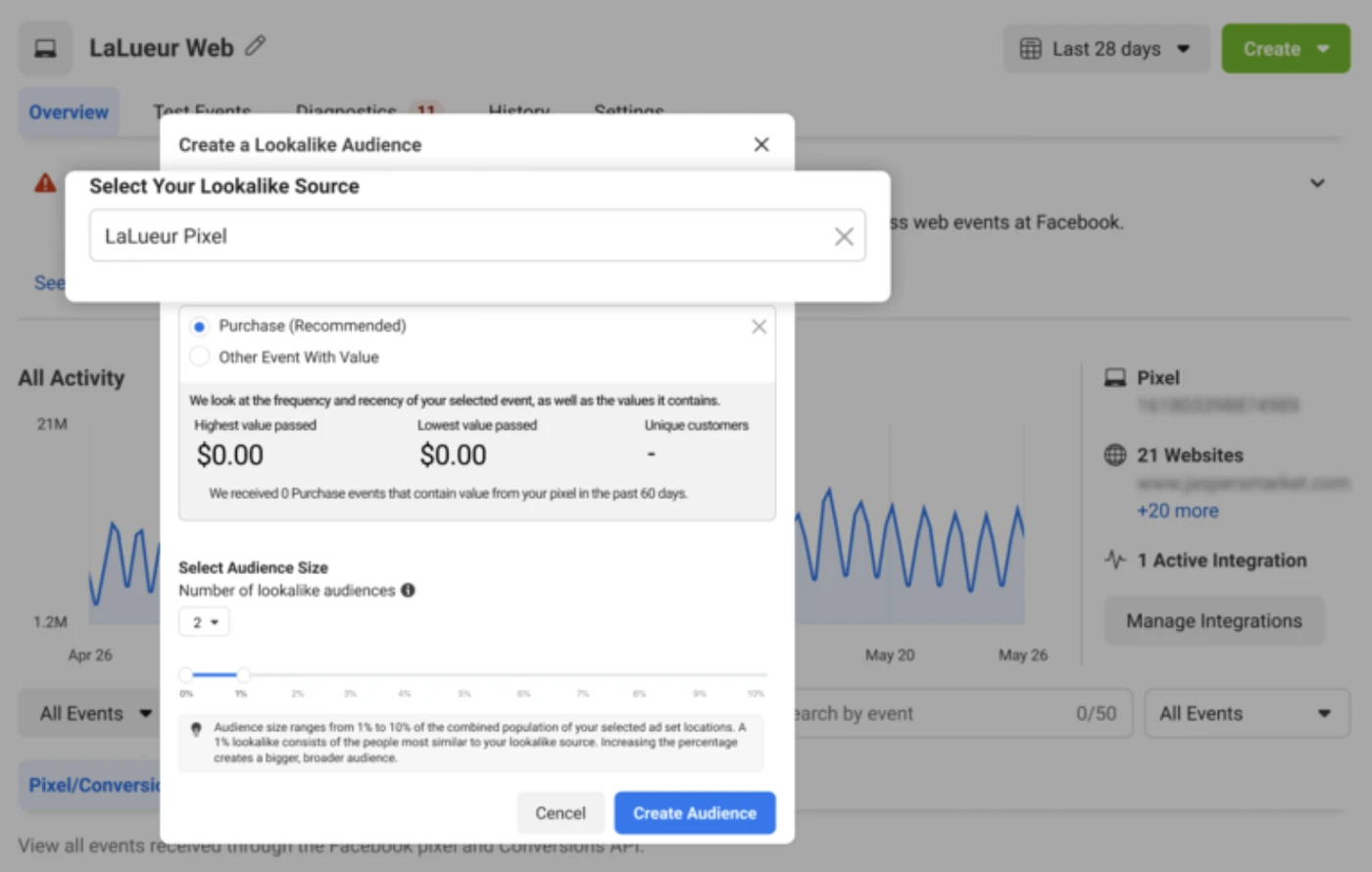
A retargeting ad shown to someone who already visited the store
Shopify marketing strategies to increase sales
Paid traffic gets more expensive as you buy more of it, so every visit you convert lowers the real cost of each order. These six strategies increase sales from the traffic you already have, on the store itself, where you control the message.
6. Personalize onsite offers by shopper intent
A first-time visitor on the homepage needs a different message from a shopper viewing the same product for the second time. Personalizing an onsite offer means changing it based on what the shopper is doing: the page, the cart, the traffic source or past orders.
One offer shown to everyone often reaches the wrong people, such as a first-order discount shown to a loyal customer. In our popup targeting data, campaigns targeted by page URL converted 152% more visitors than untargeted ones.
Personalization ideas for a Shopify store:
New visitors: ask what they're shopping for, then show an offer for that category.
Shoppers close to free shipping: show how much is left to spend, based on the cart value.
Returning visitors who viewed a product twice: answer what may stop them, such as delivery, returns or sizing.
Visitors from an ad or a creator's link: repeat the offer they saw before they clicked.
Existing customers: skip the first-order discount and show new arrivals or their loyalty status.
Emma Sleep raised its email subscription rate by 50% when its signup popup asked visitors what they were shopping for before asking for an email.
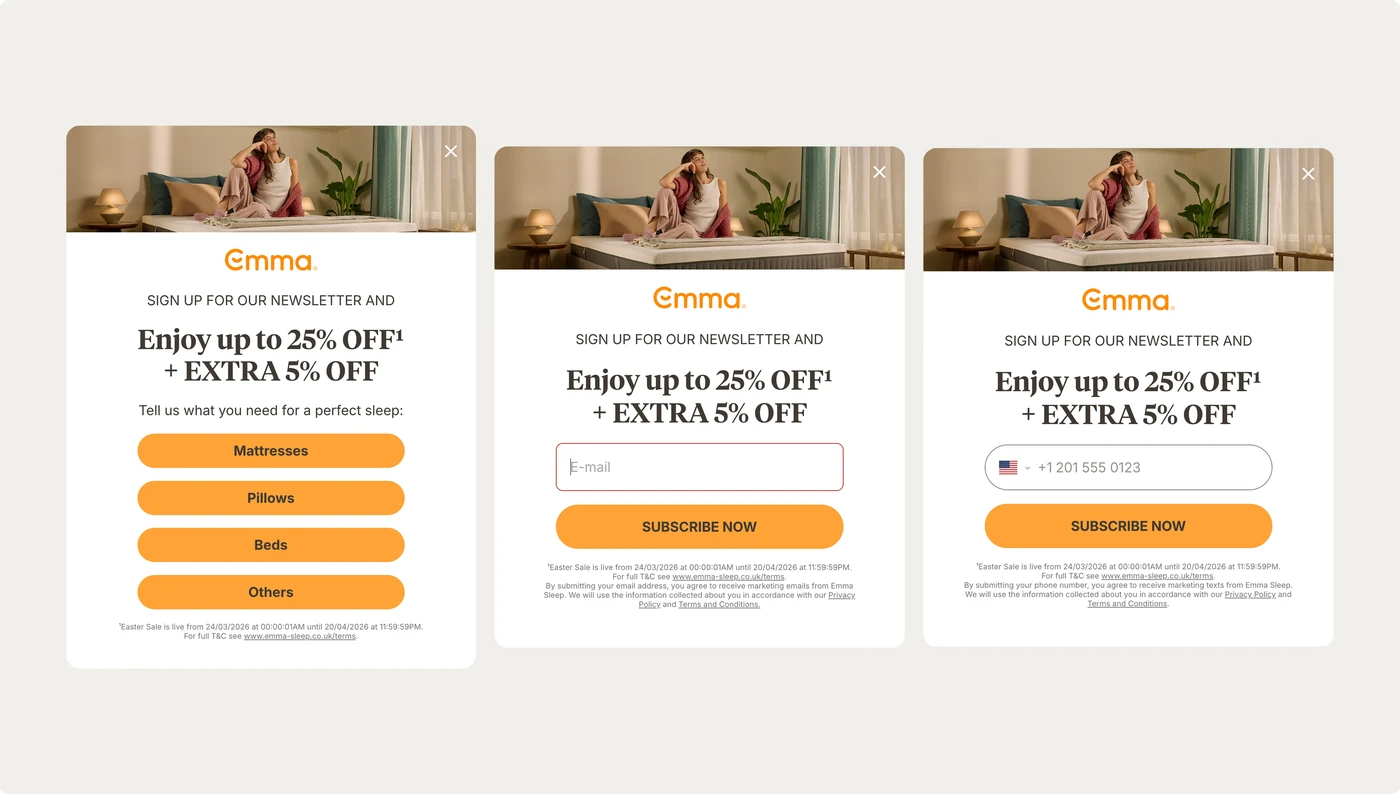
Emma Sleep's welcome popup asks what visitors need for better sleep before it asks for an email
Related: Personalize popups with Shopify data
7. Keep current offers and news visible during the visit
Shoppers rarely buy on the first page they see, and many browse with several tabs open. A promotion that appears once, in a popup or a homepage banner, is easy to miss or forget by the time they're ready to buy.
Giving offers and news a permanent place on the store lets shoppers check them when they choose. Options include a promotions link in the menu, a dedicated offers page, or an onsite feed that opens from an icon in the header.
What to keep visible during the visit:
Current promotions and their codes, so shoppers don't have to search their inbox.
Delivery cutoffs and return terms before holidays, since both are common reasons to hesitate.
New collections and limited editions, with a direct link to each product page.
Bestsellers for shoppers who haven't found where to start.
Store news, such as a new shop opening or an in-store event.
L'Atelier d'Amaya, a jewelry brand, keeps its promotions, product launches and store openings in an onsite feed, and publishes new offers in minutes.
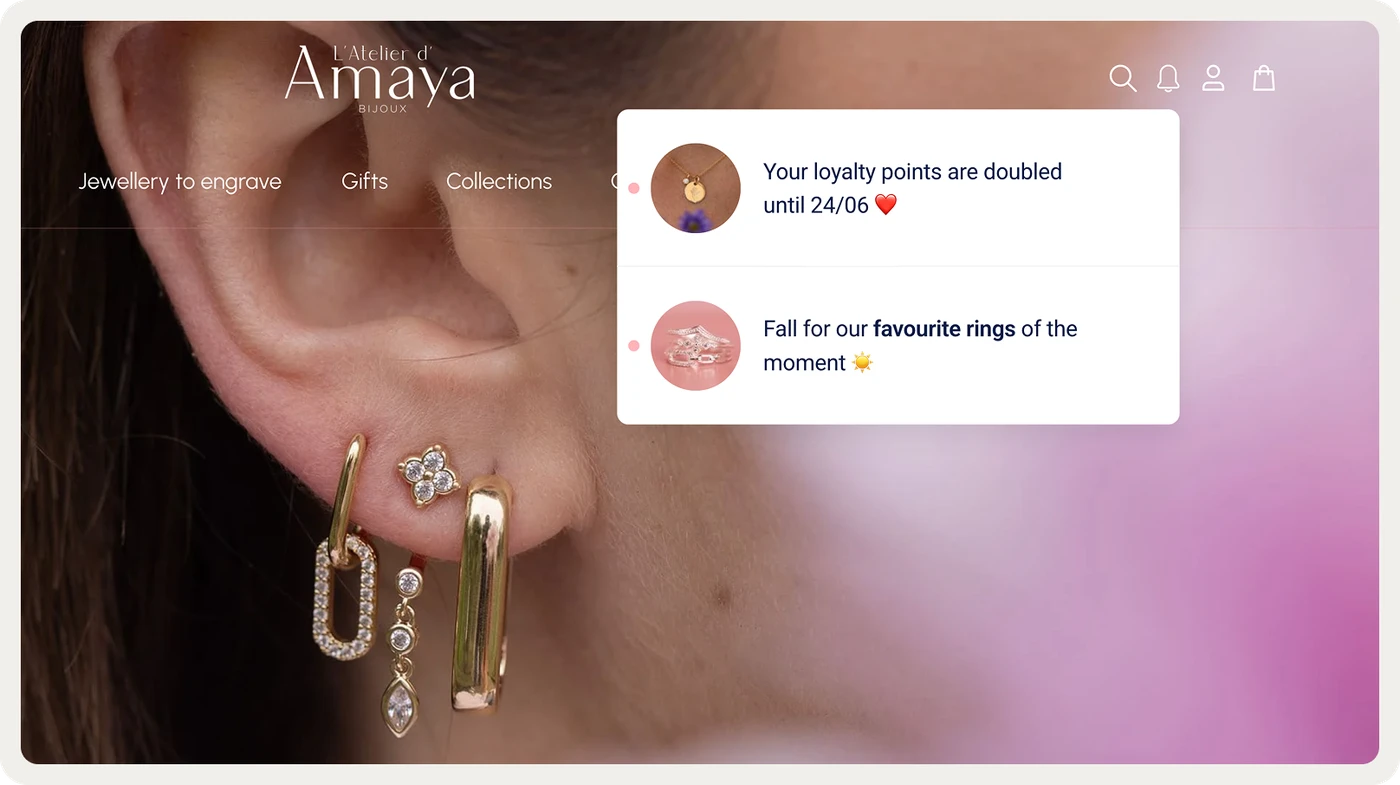
L'Atelier d'Amaya's onsite feed lists current promotions
8. Show product reviews and social proof where shoppers decide
Reviews answer the questions a product page can't: how the item fits, how it holds up and whether it matches the photos. They matter most for new brands and for higher-priced items, where shoppers need more reassurance.
How to collect and show product reviews:
Send a review request by email or SMS once the order has arrived and the customer has had time to use it.
Ask for photos, since reviews with customer photos show the product outside the studio.
Show the star rating near the price and the add-to-cart button, as well as in a full section further down.
Reply to negative reviews in public with a clear fix, so later shoppers see how you handle problems.
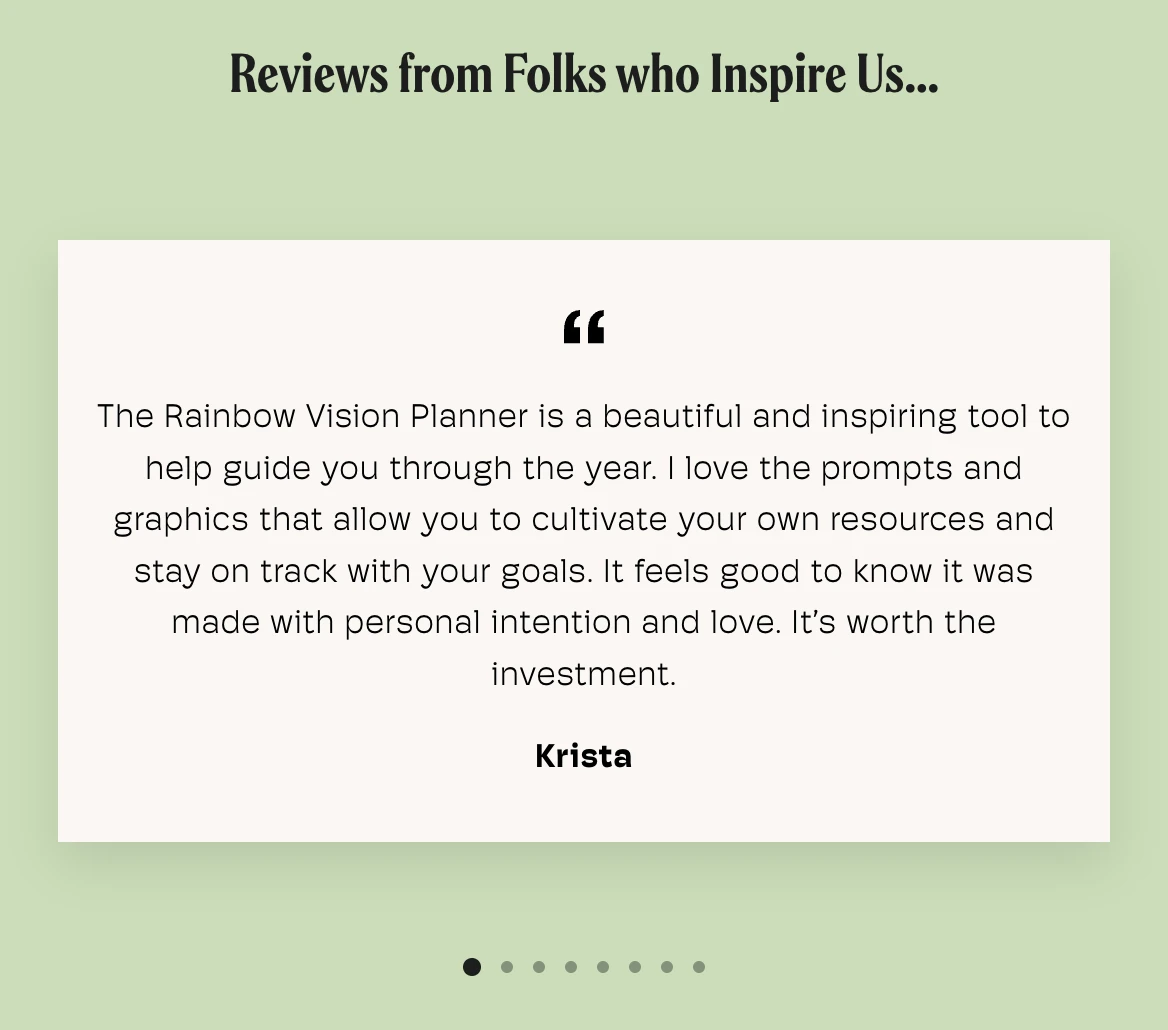
Customer reviews with star ratings on a product page
9. Target discounts and gifts by intent
A discount shown to every visitor gives money away to people who would have bought anyway. A targeted offer goes to a specific group instead: first-time visitors, shoppers who hesitate on a product, or customers building a larger order.
Ways to target discounts on a Shopify store:
Create unique, single-use codes in Shopify, so they can't be shared on coupon sites.
Offer a gift or free shipping instead of a percentage when your margins are tight.
Reward a larger basket with tiered offers, such as a better discount above a set cart value.
Show the offer on the pages where it applies, such as a bundle discount on the products it covers.
MakerFlo showed its 10% build-your-own-bundle discount on selected pages. The campaign reached a 22.9% click-through rate, and 14.7% of those clicks led to orders.
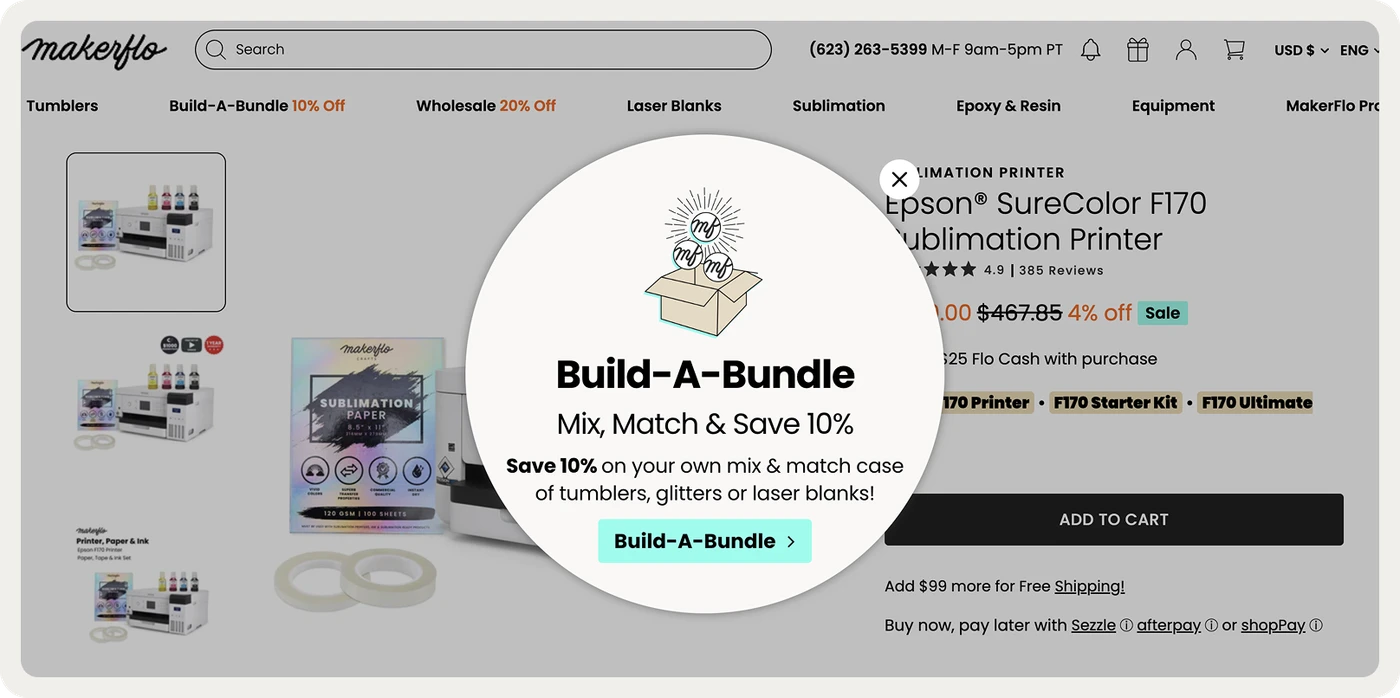
MakerFlo's popup promotes its bundle discount on selected pages
Related: 20 ideas for discount codes
10. Cross-sell and upsell with product recommendations
Cross-selling suggests products that go with what the shopper chose, while upselling suggests a better version of it. Both raise the order value without new traffic, as long as the suggestion matches the product in front of the shopper.
Where to show product recommendations:
On product pages, with items that complete the look, the outfit or the set.
After an item is added to the cart, with one or two low-priced additions.
In the cart, with products that help reach the free-shipping threshold.
For returning visitors, based on what they viewed or bought on earlier visits.
Pierre Hardy shows AI product recommendations in popups and in its onsite feed. Onsite campaigns influence 22% of the brand's total online revenue.
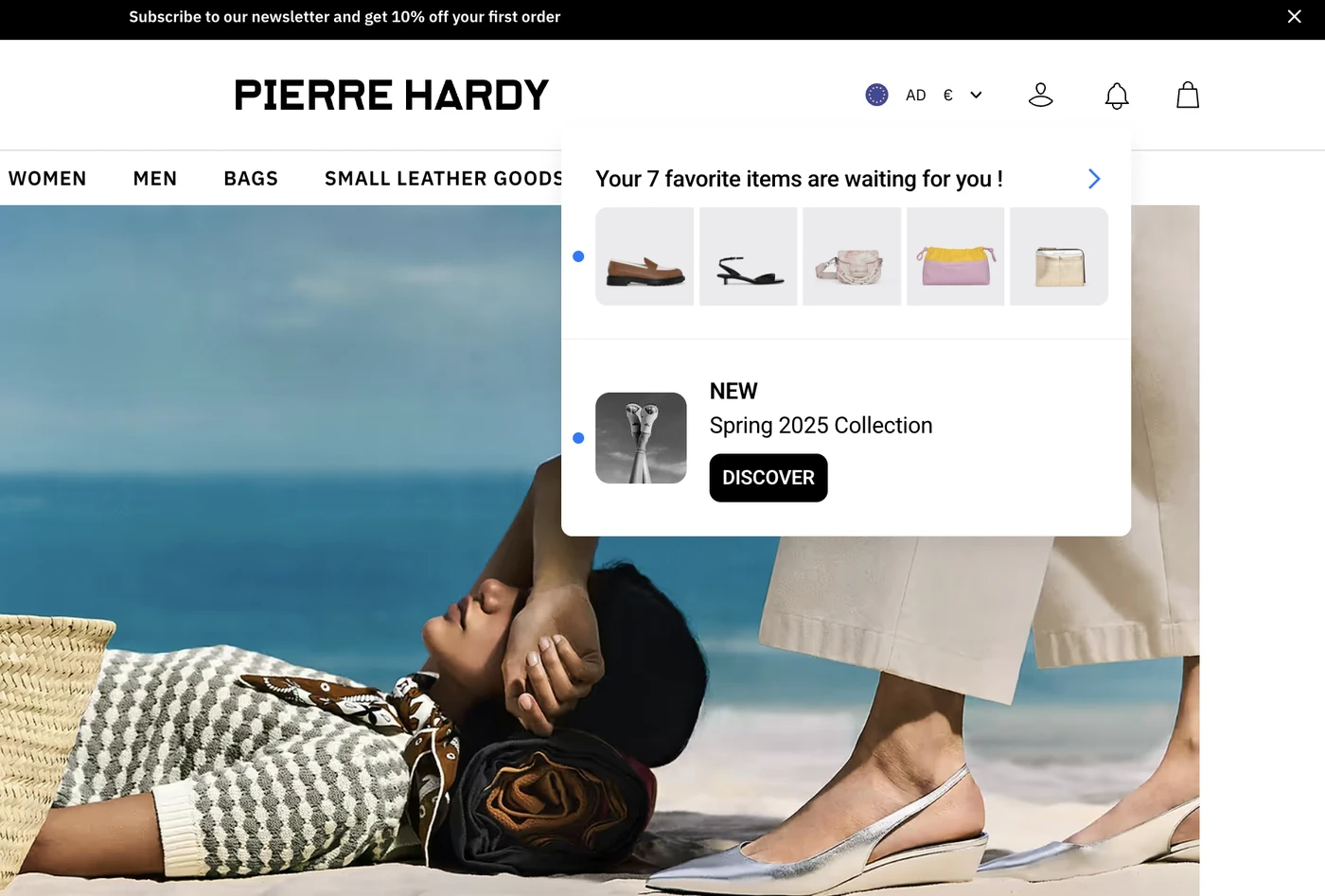
AI product recommendations shown in an onsite feed
Related: Increase your average order value
11. Recover abandoned carts before and after the visit
Cart recovery emails only reach shoppers you can identify, such as subscribers and logged-in customers. Anonymous visitors with a full cart leave without a trace, so the store has to reach them while they're still there.
In our study of cart popups on Shopify stores, AI-powered triggers converted about three times as well as exit-intent triggers. Average conversion rate by trigger type:
AI-powered trigger that scores each session for abandonment
Popup targeted by the value of the cart
Exit-intent trigger, which relies on a cursor and doesn't work on phones
Source: Wisepops · Shopify stores, April to December 2025

How to set up cart recovery on Shopify:
Turn on Shopify's abandoned checkout email, or the cart flow in your email app, with a first reminder within a few hours.
Add an onsite reminder for shoppers who are about to leave with items in the cart, and test it on mobile first.
Show the products from the cart in the reminder, since a picture of the item works without a discount.
Save discounts for higher cart values, so you don't train shoppers to abandon carts on purpose.
Mobile deserves the most attention: in the same study, 79% of orders recovered by cart popups came from mobile visitors.
Related: Cart abandonment popup study
Shopify marketing strategies to bring customers back
A second order costs far less to win than a first one, because you already have the customer's email and order history. These three strategies turn first-time buyers into repeat customers.
12. Automate email and SMS marketing
Automated messages go out when a shopper does something, such as signing up, leaving a cart or placing an order. Once they're running, they bring in orders every day without a new campaign.
Email and SMS automations to start with:
A welcome series that introduces the brand, delivers the signup offer and shows best sellers.
Browse and cart abandonment reminders with the products the shopper viewed or added.
Post-purchase messages with care tips, a review request and products that go with the order.
A win-back message for customers who haven't ordered within their usual reorder time.
Every automation depends on a growing list. Nutrimuscle asks new visitors for their sport in its signup form, so later emails can match what each customer trains for.
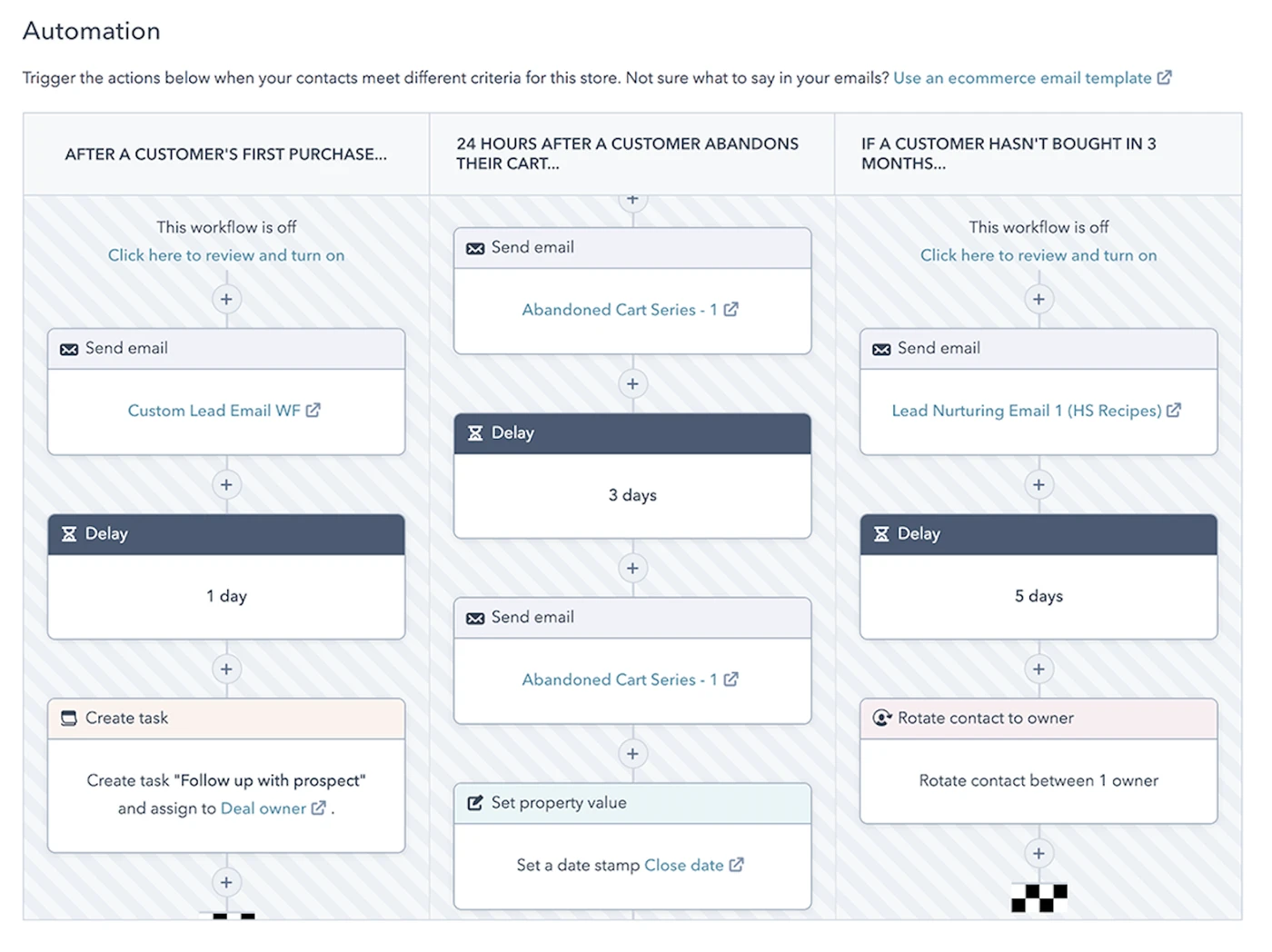
An automated email flow sends different messages depending on what each customer does
Related: Get more email subscribers
13. Start a loyalty and referral program
A loyalty program rewards customers for repeat orders, while a referral program rewards them for bringing friends. Both give customers a reason to choose your store again over a similar one.
How to set up a loyalty or referral program:
Choose rewards that cost you less than they're worth to the customer, such as early access, free shipping or a gift.
Give both sides of a referral a reward, so customers feel comfortable sharing their link.
Remind members of their points or status in emails and on the store, since a forgotten program changes nothing.
Run occasional double-points days to bring members back during quieter weeks.
L'Atelier d'Amaya asks registered customers for their birthday in a popup, then sends a birthday treat. The brand's double loyalty points campaign brought in €14,991 in revenue.
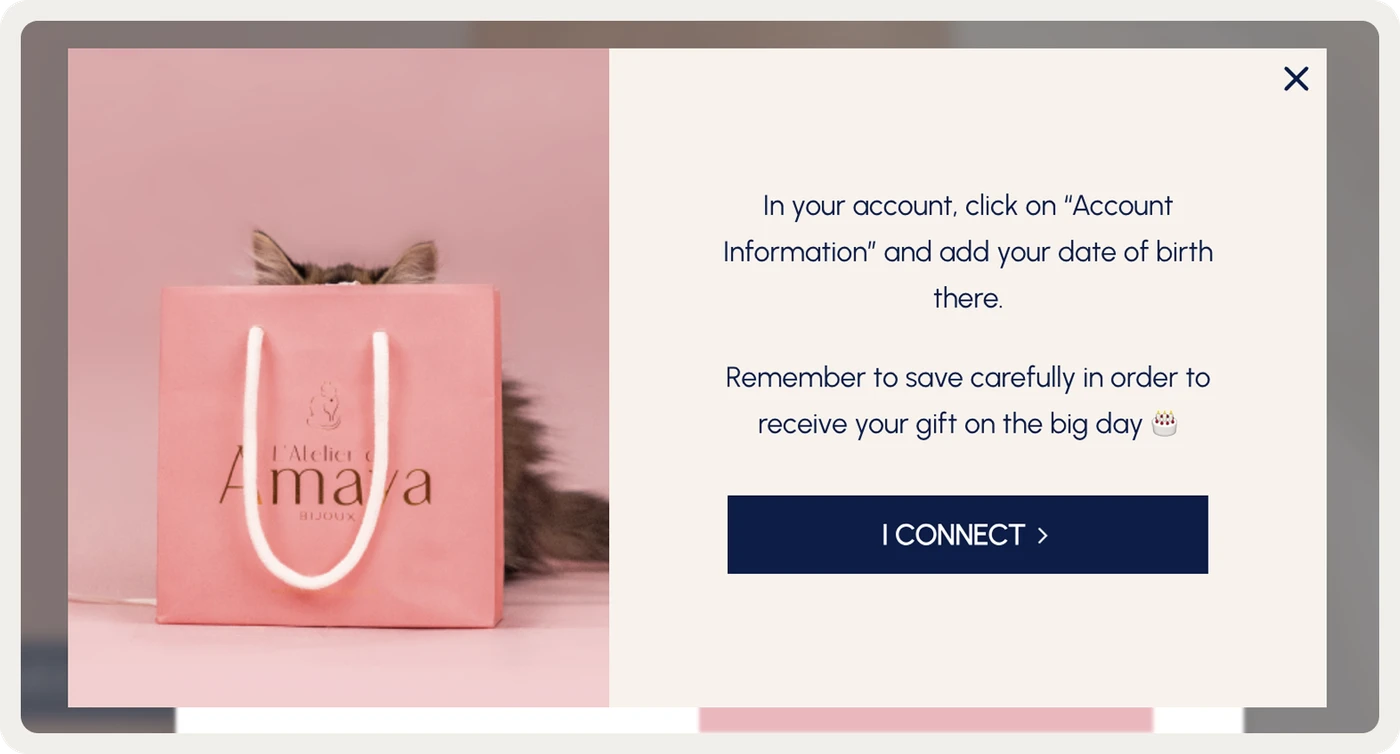
L'Atelier d'Amaya's popup collects birthdays for a personal offer
Related: Customer loyalty program examples
14. Plan seasonal promotions and product launches
Seasonal moments give customers a reason to return and a deadline to act. Black Friday and Cyber Monday are the biggest, but back-to-school, summer sales and your own brand anniversary work too.
How to plan a seasonal promotion on Shopify:
Collect signups for early access a few weeks before the sale, so your list is ready when it starts.
Show a countdown on the sale page and across the store to set a clear end date.
Prepare one message per stage: the teaser, the launch, the last day and the extension.
Plan launches of new products the same way, with early access for subscribers or loyalty members.
L'Atelier d'Amaya ran a countdown to Black Friday on a dedicated sale page. Its Black Friday codes later brought in €12,095 in revenue.
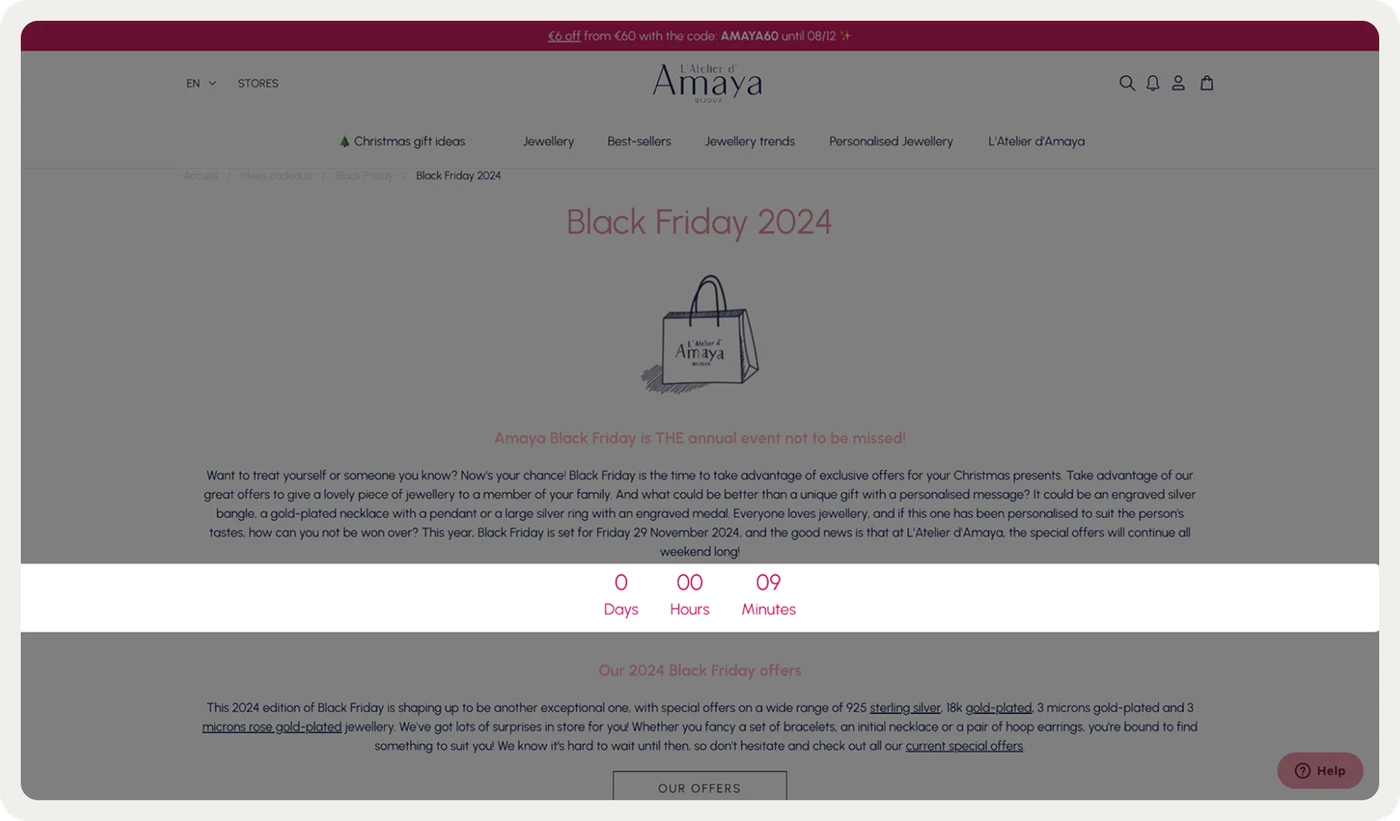
L'Atelier d'Amaya's countdown to Black Friday on its sale page
Related: Black Friday marketing ideas
How to choose the right Shopify marketing strategy
The right strategy depends on how much traffic the store gets, how much it can spend and how often customers reorder. A few channels run well usually bring more than a budget split across all 14.
Where to focus at each stage of a Shopify store:
Store stage
Where to focus first
New store with little traffic
SEO on product and collection pages, social content, a welcome offer with email signup, and a few creators.
Growing store with steady traffic
Search and social ads, targeted onsite offers, cart recovery and a full set of email and SMS automations.
Established store with repeat buyers
Personalization by customer data, cross-selling, loyalty and referral programs, and planned seasonal campaigns.
How to measure your Shopify marketing:
Tag every link you share with UTM parameters, so Shopify reports can show which source brought each order.
Compare channels on the revenue and repeat orders they bring as well as on clicks.
Test campaigns against a control group that sees nothing, to measure the revenue they add.
Review your Shopify marketing campaigns monthly and move budget toward the channels that bring profitable orders.
A control group shows what would have happened without the campaign. You can read how to set one up, and how long to run a test, in A/B testing on Shopify.
Related: Shopify success stories
Shopify marketing FAQ
What is the best marketing strategy for a Shopify store?
The best strategy combines a channel that brings new shoppers, such as SEO or ads, with work that converts and keeps them. A new store usually starts with SEO, social content and an email signup offer. Targeted offers, cart recovery and email automations follow as traffic grows.
Does Shopify do marketing for you?
Shopify gives you marketing tools, but it doesn't promote your store on its own. You can send email and SMS with Shopify Messaging, run creator programs with Shopify Collabs and show ads through Shop Campaigns. You still choose the channels, write the messages and set the budget.
How can I promote my Shopify store for free?
Free channels include SEO on product and collection pages, organic social media, content that answers buying questions, and your email list. Shopify Messaging lets you send the first 10,000 emails each month at no cost. These channels take longer to grow than paid ads.
How do I advertise my Shopify store?
Use search and shopping ads for products people already look for, and social ads for products they discover by seeing them. Connect each platform through Shopify's sales channels to use your catalog and track orders. Send each ad to a matching product page.
Get started
in minutes
Start converting more visitors today.
Get started in minutes and see results right after.